
 16 June 2026
 Share
Share
1
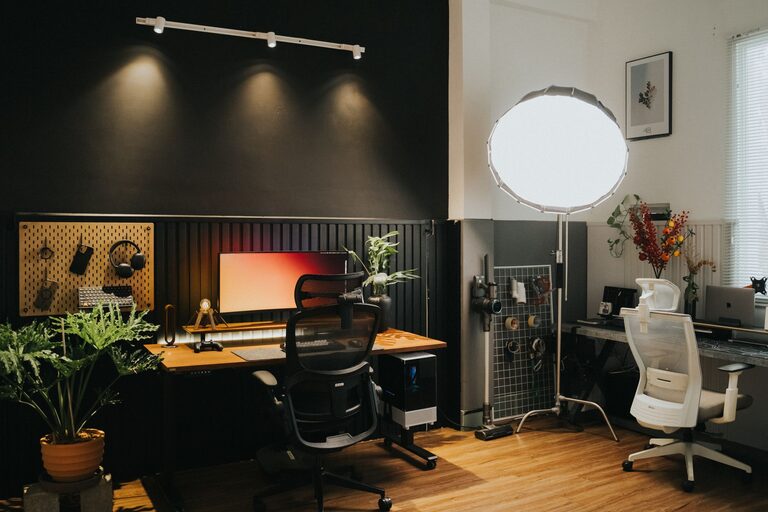
Creating a cozy and inviting home workspace is essential for maintaining focus, productivity, and overall well-being while working from home. A thoughtfully designed workspace can inspire creativity, reduce stress, and make your workday more enjoyable. Whether you have a dedicated room or just a corner in your living room, these tips will help you transform your space into a comfortable and motivating environment.
Finding the best spot in your home to set up your workspace is the first step. Consider these factors:
– Natural Light: Aim for a location with good natural light to help reduce eye strain and improve mood.
– Low Traffic: Pick a quiet area with minimal distractions and foot traffic.
– Space: Make sure you have enough room for your desk, chair, and any necessary equipment.
If you don’t have a separate room, try using a room divider or shelving unit as a visual barrier to define your workspace.
Comfort is key in a home workspace. Sitting all day in an uncomfortable chair can lead to back pain and fatigue. Here’s what to look for:
– Ergonomic Chair: Choose an adjustable chair that supports good posture. Look for features like lumbar support and height adjustment.
– Desk Height: Your desk should allow your elbows to rest at a 90-degree angle when typing.
– Additional Seating: If space allows, consider a small lounge chair for reading or taking breaks.
Comfortable furniture helps you stay focused and reduces physical discomfort.
Adding personal touches makes your workspace feel welcoming and uniquely yours. Some ideas include:
– Decor: Hang artwork or photos that inspire you.
– Plants: Incorporate greenery to add life and improve air quality.
– Accessories: Use colorful organizers, a stylish mouse pad, or a cozy throw blanket.
– Lighting: Add a desk lamp with adjustable brightness or warm light bulbs to create a soft ambiance.
Personalization can boost creativity and make your workspace a place you enjoy spending time.
Clutter can be distracting and overwhelming. Maintaining an organized workspace makes it easier to focus and find what you need quickly.
– Storage Solutions: Use shelves, drawers, or baskets to keep supplies neat.
– Desk Declutter: Only keep everyday essentials on your desk.
– Cable Management: Use clips or covers to tidy up cords and cables.
– Regular Cleaning: Schedule time weekly to tidy your space and dust surfaces.
A clean and organized workspace promotes productivity and reduces stress.
Colors impact your mood and energy levels. Choosing the right color scheme for your workspace can make a big difference.
– Calming Colors: Soft blues, greens, or neutral tones create a soothing environment.
– Energetic Colors: Bright yellows or oranges can stimulate creativity and energy — ideal for brainstorming areas.
– Accent Pieces: Incorporate colors through accessories like cushions, wall art, or rugs.
Choose colors that make you feel comfortable and energized.
Good lighting reduces eye strain and helps maintain focus throughout the day.
– Natural Light: Position your desk near a window if possible.
– Task Lighting: Use adjustable desk lamps for focused work.
– Ambient Lighting: Combine overhead lights with softer lamps to avoid harsh shadows.
– Avoid Glare: Arrange your monitor perpendicular to windows to reduce glare.
A well-lit workspace supports productivity and comfort.
Technology can streamline your work and keep you organized.
– Reliable Internet: Ensure your workspace has strong Wi-Fi connectivity.
– Quality Equipment: Use a comfortable keyboard, mouse, and monitor.
– Noise-Canceling Headphones: These can help block distractions if needed.
– Smart Devices: Consider smart plugs or voice assistants to control lighting and other elements hands-free.
Using the right technology enhances your efficiency and comfort.
Creating boundaries helps separate work from personal life, especially if you work in a shared space.
– Set Hours: Stick to consistent working hours to avoid burnout.
– Physical Barriers: Use room dividers or curtains to signal when you’re working.
– Communicate: Let family or roommates know your schedule to minimize interruptions.
– Take Breaks: Set timers for regular breaks to stretch and relax.
Clear boundaries help maintain work-life balance within your home environment.
Small touches can make your workspace more inviting and pleasant.
– Soft Textiles: Place a rug underfoot or add cushions to your chair.
– Aromatherapy: Use essential oil diffusers or candles to create a calming scent.
– Temperature Control: Use a desk fan or heater to keep your area comfortable year-round.
– Refreshments: Keep a water bottle or a mug nearby to stay hydrated.
These comfort upgrades can make your home workspace a favorite place in the house.
—
Designing a cozy and inviting home workspace takes a little thought and effort, but the benefits are worth it. By choosing the right location, investing in comfortable furniture, personalizing your space, and keeping it organized, you can create an environment that promotes focus and wellbeing. Don’t forget to optimize lighting and technology, establish healthy boundaries, and add comfort features to make your workspace truly yours. With these tips, you’ll enjoy working from home more than ever before.
