
 16 June 2026
 Share
Share
1
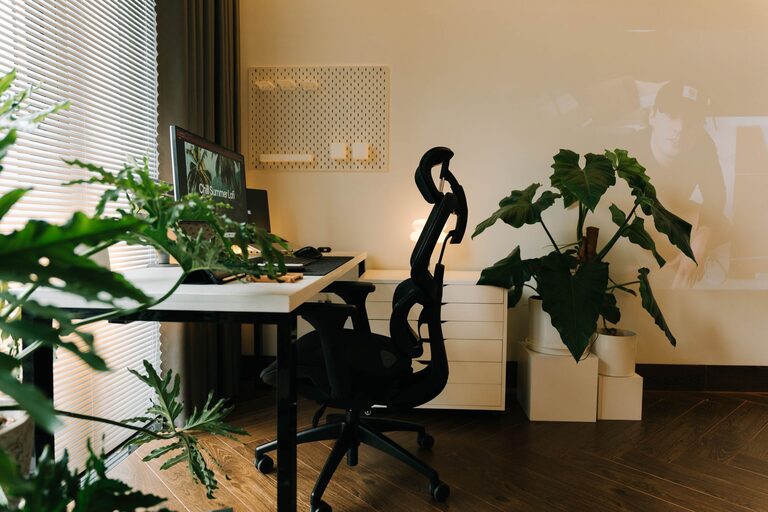
Creating a relaxing home workspace is essential for boosting productivity and maintaining your well-being while working remotely. Whether you have a dedicated room or just a small corner, designing a calming area can improve focus, reduce stress, and make your workday more enjoyable. In this post, we’ll explore simple and effective tips to help you create the perfect relaxing workspace at home.
Your work environment influences how well you concentrate and how comfortable you feel during the day. A cluttered, noisy, or uncomfortable space can lead to distractions and increased stress. On the other hand, a thoughtfully arranged workspace promotes calmness and focus, encouraging better work habits and creativity.
Look for a place in your home where you experience the least amount of noise and interruptions. This could be a spare bedroom, a corner of your living room, or even a part of your dining table. Minimizing distractions helps create a peaceful atmosphere that supports your concentration.
Natural light has mood-boosting and energizing effects. Position your workspace near a window to take advantage of daylight. If natural light is limited, use soft, warm lighting that mimics daylight to maintain a pleasant environment.
A cluttered desk can increase feelings of anxiety and distract your mind. Keep only essential items on your desk, and store other supplies in drawers, shelves, or boxes. Regularly declutter to maintain a tidy space.
Invest in storage solutions like shelves, filing cabinets, or desk organizers. This will help keep paperwork, stationery, and gadgets orderly and within reach, reducing clutter and making your workspace more inviting.
Comfort is key when spending long hours working. Choose a chair that supports your posture with adjustable height, lumbar support, and comfortable padding. This helps prevent back pain and fatigue.
Your desk should fit your space and work habits. A spacious desk allows you to spread out your materials without feeling cramped. Consider desks with cable management features to avoid tangled cords.
Colors influence mood. Soft, neutral hues like light blues, greens, or beige create a calming atmosphere. You can paint the walls or add these colors through decor items such as rugs, curtains, or desk accessories.
Houseplants improve air quality and add a touch of nature, which can be soothing and refreshing. Easy-to-care-for plants like succulents, pothos, or snake plants are great choices for workspaces.
Include a few personal items that make you happy, such as framed photos, artwork, or inspirational quotes. Avoid overcrowding to keep the workspace serene.
If you work in a noisy environment, noise-canceling headphones can help block out background sounds so you can focus better.
If you share your home, use a sign or other indicator to let others know when you’re working and prefer not to be disturbed.
If space allows, create a small area with a comfortable chair, cushions, or a blanket where you can take short breaks. Use this spot to stretch, meditate, or simply rest your eyes.
Use a timer or app to remind yourself to take breaks every hour. Short pauses help reduce fatigue and improve overall productivity.
Messy cables add visual clutter and can cause frustration. Use cable organizers, clips, or sleeves to keep cords neat.
Adjust your monitor’s position to minimize glare from windows or lights, which can strain your eyes.
If you spend a lot of time on screens, consider using blue light filter apps or glasses to reduce eye strain, especially later in the day.
Good air quality and temperature control contribute to comfort. Open a window when possible or use an air purifier to maintain fresh air. Adjust your thermostat or use fans and heaters to keep the temperature just right.
A relaxing home workspace is within reach with a few thoughtful adjustments. By carefully choosing your location, organizing your space, picking comfortable furniture, and adding personal touches, you can create a peaceful and productive environment. Remember to incorporate breaks and manage technology wisely to support your comfort and focus throughout the day. With these tips, working from home can become a more enjoyable and stress-free experience.
